- What IT job roles are and why they matter
- What a software developer does
- What a technical support analyst does
- What a systems technician does
- Differences and overlaps between the three roles
- Technologies and tools by role
- Career progression and specialisation
- How to choose a role and how to fit into a team
- Conclusion
- Frequently asked questions
- Sources
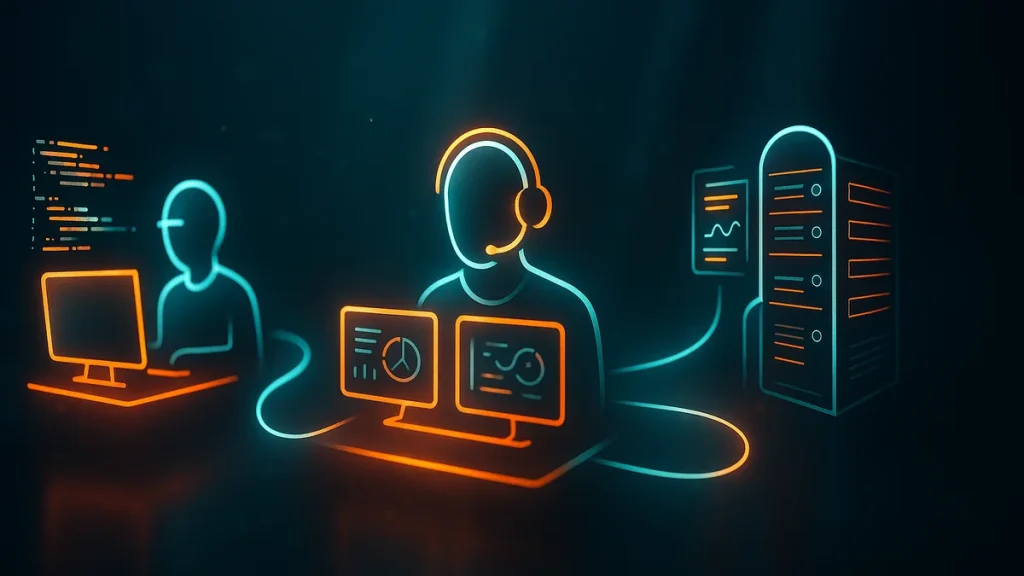
IT job roles are the professional positions that build, run and support an organisation’s technology. Walk into almost any IT department and you will meet three people in the first hour: the software developer who builds the applications, the technical support analyst who helps people when something breaks, and the systems technician who keeps servers, networks and services standing.
You will also watch those three pull in different directions on the same incident, and that is exactly what makes them valuable. One outage produces three different readings, and each reading catches something the others miss. This article walks you through what every role really does, where the borders blur, which tools each one reaches for every day and how a career in the field gets built. The reference points are the official occupational classifications ESCO (European Commission) and O*NET (U.S. Department of Labor), with the primary sources gathered at the end.
What IT job roles are and why they matter
An IT job role is a position whose core is computing itself: creating software, helping the people who use it, or holding up the infrastructure both of them depend on. Each role leans on a different core skill. The developer masters programming and solution design. The support analyst masters diagnosis and user care. The systems technician masters operating systems, networks and services.
The European classification ESCO spreads them across occupational families. Software developers sit with ICT professionals in group 2512. Support technicians sit with ICT technicians in group 3512. Systems administrators sit with database and network professionals in group 2522. Different groups for jobs with different training, tooling and responsibilities.
That split matters for two reasons. If you are job-hunting, each role demands a specific kind of preparation and its own portfolio of proof. If you are hiring, all three are needed at once, and blurring them into a single «IT person» throws the team out of balance. You end up with tasks that fall between the cracks and nobody clearly owning them.
What a software developer does
A software developer turns needs into programs that work. They analyse what has been asked for, design a solution, write it in one or more programming languages, test it and keep it alive over time. The deliverable is executable code, and the unit of work is usually a feature or a component of an application.
ESCO (group 2512 · Software developers) describes the role as researching, analysing and evaluating requirements and then designing, developing, testing and maintaining software solutions. Understanding the problem comes before the first line of code, and that is where algorithmic thinking and algorithm design earn their keep.
Tasks and responsibilities
- Gather requirements: talk to the people who asked for the feature to work out what it truly has to do.
- Design the solution: decide the structure, the data model, the interfaces and which components can be reused.
- Write the code: turn that design into working, readable, maintainable programs.
- Test and debug: prove it behaves, and hunt down the faults (bugs) that always turn up.
- Document and maintain: leave a trail of how it works and update it when the environment shifts or new requirements land.
- Collaborate: work with analysts, designers and other developers, review each other’s code and take part in technical decisions.
Languages and technologies in common use
The catalogue depends on what is being built. On the backend, Python, Java, C#/.NET, Go, PHP and Node.js dominate. On the interface side, JavaScript and TypeScript with frameworks such as React, Angular or Vue. In mobile, Swift, Kotlin or Flutter. Nearly everyone also handles databases (SQL and NoSQL), version control with Git, automated testing and continuous delivery (CI/CD). Containers and their orchestration (Docker, Podman and Kubernetes) are now part of the craft, and so is the cloud.
One thing worth saying plainly: nobody expects a developer to know everything on that list. What the role does require is depth in one language and one ecosystem, plus enough breadth to read and reason about the rest. Depth gets you hired. Breadth keeps you useful when the stack moves underneath you.
What a technical support analyst does
A technical support analyst solves people’s computing problems. They take queries and incidents about devices, software, networks, email or peripherals, and they do it over the phone, by email, in a chat or through a remote desktop session. They are the human face of IT inside the company, the person who turns a plain-language description into a technical diagnosis.
According to ESCO (group 3512 · ICT user support technicians), the role provides technical assistance to users, diagnoses and resolves problems with software, hardware, peripherals, networks, databases and the internet, and advises on the installation and maintenance of systems. Constant contact with people is the whole job, and that is what shapes the profile employers look for.
Tasks and responsibilities
- Handle incidents: log every request in a ticketing system, rank it by priority and follow it through to closure.
- Diagnose and resolve: reproduce the fault, check the manuals and apply the fix or the workaround.
- Install and configure: set up machines, install software and prepare the user’s workstation.
- Track inventory and licences: keep an accurate record of devices, applications and their usage licences.
- Document: write down the problems and their fixes so the same work is not repeated twice.
- Escalate: pass the cases beyond their scope to systems or to the vendor.
The role calls for resourcefulness, speed, patience and communication. Many users have no technical background at all, so explanations have to arrive in plain language. Here active listening is worth as much as technical knowledge, and it is the skill that separates a good analyst from a fast one. You also learn to work under pressure, because several incidents with committed response times tend to land in the same hour.
Tools of the trade
Beyond phone and email, the analyst lives inside help-desk platforms (ServiceNow, Jira Service Management, Zendesk, osTicket) and remote desktop tools that take control of a machine without leaving the desk. Add deployment and imaging systems, device management, user directories such as Active Directory, antivirus and hardware and network diagnostic utilities. The same daily round of patching and preventive checks that keeps a fleet healthy belongs to the world of IT maintenance.
What a systems technician does
A systems technician installs, configures and maintains the computing infrastructure. Their mission is to keep servers, networks and services running continuously, securely and reliably. If the developer creates and the analyst attends, the systems technician holds up the platform everybody else works on.
ESCO (group 2522 · Systems administrators) describes the role as developing, controlling, maintaining and supporting the performance and security of information systems. You measure this job in uptime and predictability, week after week.
Tasks and responsibilities
- Administer servers and operating systems: install them, patch them and keep them current (Windows Server, Linux).
- Manage networks and services: addressing, DNS, DHCP, VPN, firewalls and segmentation.
- Secure availability: watch performance, review logs and head off failures before users notice them.
- Back up and recover: design and verify backup routines and disaster-recovery plans.
- Automate: write scripts and configuration tooling for repetitive work.
- Control access: manage users, permissions and security controls, following a sound role-based access control model.
It is a methodical position that rewards tidy documentation and teamwork, on top of the usual contact with users who report incidents. It also demands continuous learning, because versions, platforms and threats never stop moving. What you learned three years ago still matters, but you have to keep confirming it.
Tools of the trade
The daily mix is console plus platform: Linux (RHEL, Ubuntu, Debian) and Windows Server, remote administration over SSH, automation with Ansible or Terraform, virtualisation (VMware, Proxmox, KVM) and containers. To keep an eye on the estate they use monitoring tools such as Zabbix, Prometheus or Nagios, and for backups, a solution they trust enough to test. A growing share of that infrastructure already lives in cloud computing, which adds provider consoles and cloud services to the toolbox.
Differences and overlaps between the three roles
All three solve technical problems, but never the same kind. The fastest way to tell them apart is to ask two questions: what they produce and who they serve.
| Software developer | Support analyst | Systems technician | |
|---|---|---|---|
| Main goal | Build new software | Resolve user incidents | Keep infrastructure running |
| Who they deal with | Product and business team | End users all day long | Other technicians and users |
| When they act | During development and maintenance | When something fails or help is requested | Preventively and continuously |
| Output | Features and applications | Unblocked users | Available, secure services |
| Technical focus | Languages, data and logic | Diagnosis and user care | Systems, networks and automation |
Where they overlap
The borders blur on several sides. Tier 2 or tier 3 support usually ends up touching systems administration, and plenty of systems technicians take incidents directly. Development and operations have moved so close together that they produced DevOps, where the people who write the code also ship and run it. Everyone also shares the same foundations: operating systems, networks, the command line and problem-solving. Those shared foundations are what make moving between roles possible with some targeted training.
The overlap is where the interesting work happens, so treat it as a feature of a healthy team. The practical question is who is closest to the problem right now, and the good teams let that person move without waiting for a permission slip.
Technologies and tools by role
This table sums up the characteristic toolkit for each role. It is not a closed list, because every company and every specialism adds layers of its own.
| Area | Software developer | Support analyst | Systems technician |
|---|---|---|---|
| Languages | Python, Java, C#, JavaScript/TypeScript, Go | Basic scripting (PowerShell, Bash) | Bash, PowerShell, Python for automation |
| Platforms | Web and mobile frameworks, CI/CD | Windows, macOS, iOS/Android | Linux, Windows Server, virtualisation |
| Data | SQL and NoSQL databases | Basic queries and recovery | Backups and storage |
| Operations | Git, containers, cloud | Help desk and remote desktop | Monitoring, networks, automation |
Career progression and specialisation
All three roles have a runway. The usual shape is to enter as a junior with freshly finished training, move to mid-level once experience and autonomy arrive, and reach senior when complex problems get solved with independent judgement and other people are being guided. From there the classic fork opens: specialise in one technology or move into management, which can mean team coordination, architecture or technical direction.
Seniority is not the number of years on your CV. It is the size of the problem you can be trusted with and the number of people who no longer need to check your work.
Training routes
There is no single door into IT. University degrees in computer science or software engineering provide the deepest theoretical base, and that pays off most in development, data and architecture. Vocational and applied programmes, along with coding bootcamps, are the quickest route into support and systems work, and a perfectly good one. Many employers care more about demonstrable skill than about where it was acquired. On top of either path, vendor certifications credential specific competences and carry real weight in job adverts: CompTIA’s A+, Network+ and Security+ for foundations, Cisco’s CCNA for networking, Microsoft’s and Red Hat’s credentials for platforms and cloud, and the cloud providers’ own certification tracks.
For support and systems in particular, a certification plus a home lab (a couple of virtual machines, a router, a monitoring stack) is often more convincing in an interview than any qualification. It proves you have done the work instead of only read about it, and it gives you something concrete to talk about when the technical questions start.
Specialisations by role
- Development: frontend, backend, full stack, mobile, games, data and artificial intelligence, DevOps or application security.
- Support: user care (tiers 1, 2 and 3), desktop support, application or network specialism, and service management along ITIL lines.
- Systems: Linux or Windows administration, networking, virtualisation, cloud, containers, site reliability engineering (SRE) and cybersecurity.
How to choose a role and how to fit into a team
The choice usually comes down to three questions. What do you want to build: if creating new things appeals to you, development. If you would rather keep platforms healthy and automate them, systems. How much human contact do you want: support and systems mean constant dealings with users, while development is more concentrated work. What do you tolerate better: the deadlines of a project or the unpredictable urgency of an incident.
Inside a team, fitting in means respecting the borders and covering the gaps. The developer brings the product vision, support brings the reality of the person using it every day, and systems guarantees that everything stays standing. When all three talk to each other and write things down, the border stops being a wall and becomes a safety net.
One last habit worth building: document the handover, not just the task. Most friction between these roles comes from work passed over a wall with no context attached, and the fix costs a paragraph.
Conclusion
Software developer, support analyst and systems technician are three IT job roles that complement each other: one creates, one attends, one sustains. They share foundations, they overlap in the middle ground and they offer well-defined specialisation paths. Knowing what each one does helps you choose a career, and it helps any team stay balanced.
If you are starting out, pick the role whose day-to-day you could tolerate for a few years rather than the one with the loudest hype, and build proof of skill early: a project, a lab, a certification. Then do the smallest useful thing this week. Take one job advert for each role and underline every requirement you already meet. Whatever is left is your study plan, and the three roles sit close enough together that your first job is rarely a life sentence.
Frequently asked questions
Are developer and programmer the same thing?
Not exactly. Programming is writing code to a design, while development also covers requirement analysis, design, testing and maintenance. Many companies use the two words interchangeably, but a developer is normally accountable for more stages than a plain programmer.
What is the difference between technical support and a systems technician?
The support analyst focuses on the user, taking and resolving their incidents. The systems technician focuses on the infrastructure, keeping it available, secure and up to date. It is common for support to escalate problems affecting servers or networks to systems.
Do you need a university degree to work in IT?
Not always. In support and systems, vocational training and vendor certifications are a route as valid as university and often faster. In development, a degree adds more theoretical grounding, but many employers value demonstrable experience and a solid project portfolio above all.
Can you switch from one role to another over time?
Yes. The shared foundations (operating systems, networks, the command line and problem-solving) make the jump easier. Moving from support to systems, and from systems to DevOps, is common. Development demands studying languages and data structures in more depth.
Sources
- ESCO · Software developers (ISCO 2512), European Commission
- ESCO · ICT user support technicians (ISCO 3512), European Commission
- ESCO · Systems administrators (ISCO 2522), European Commission
- O*NET OnLine · Software Developers (15-1252.00), U.S. Department of Labor
- O*NET OnLine · Computer User Support Specialists (15-1232.00), U.S. Department of Labor
- O*NET OnLine · Network and Computer Systems Administrators (15-1244.00), U.S. Department of Labor
- U.S. Bureau of Labor Statistics · Occupational Outlook Handbook: Computer and Information Technology
- CompTIA · Certifications